A robot vacuum for multiple floors can remember more than one layout, but saved maps do not move the robot, its dock, clean water, or dirty debris between levels. The practical choice is usually between carrying one robot, automating one main level and cleaning the other manually, or placing a robot on each frequently cleaned floor. Before paying for multi-floor features, verify the exact model’s map limit, floor recognition, dock dependence, carrying weight, mopping workflow, and app requirements. The right setup is the one that removes repeated work on the floors that need cleaning most often.
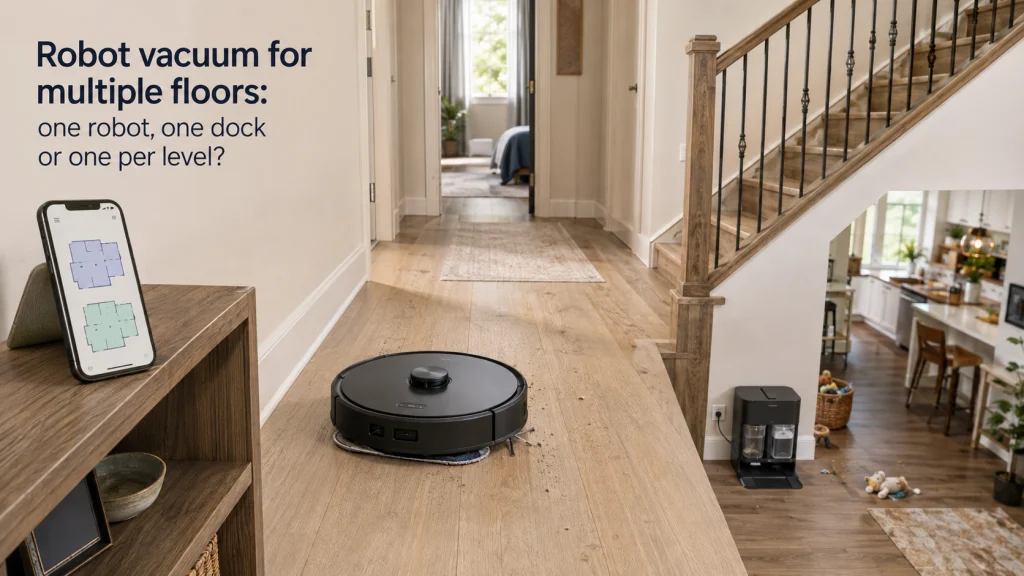
A saved upstairs map does not carry the robot upstairs
A robot vacuum for multiple floors sounds almost fully automatic until the staircase becomes part of the routine. A capable model may recognize the upstairs layout, remember room boundaries, and preserve floor-specific settings, yet someone still has to move the machine between levels. If the dock stays downstairs, the robot may also lose automatic charging, self-emptying, mop washing, water refilling, or other dock services while it is upstairs. That physical mismatch matters more than a long feature list because it determines how much work remains in the household routine.
The useful question is not simply whether a robot supports multiple maps. Ask what happens from the moment an upstairs cleaning is needed until the robot is ready for its next run, including carrying, starting, emptying, charging, and any mop care. A household with a busy kitchen level and lightly used bedrooms may tolerate one carried robot easily, while two equally busy floors can make the same routine feel repetitive fast. If you are still deciding which type of robot belongs in the home at all, the broader robot vacuum buying guide is the better starting point.
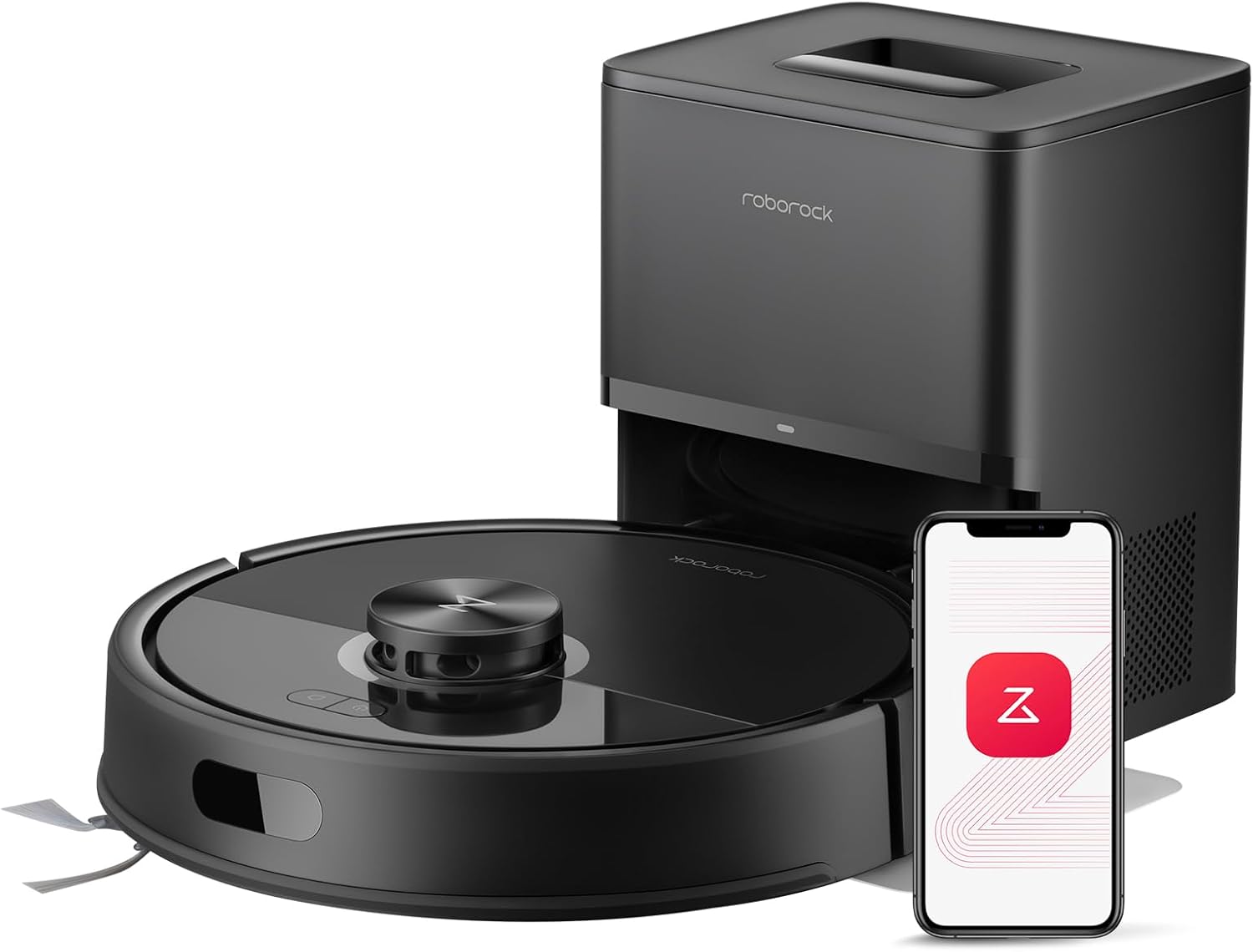
The Q7 M5+ combines 10,000Pa suction with PreciSense LiDAR navigation and app control. Its self-empty system handles collected debris at the dock. That dock-based convenience makes it a useful example of why saved maps and physical automation are separate parts of a multi-floor routine.
Check On AmazonIf you click this link and buy, we earn a commission at no additional cost to you.
Separate multi-floor mapping from multi-floor automation
Multi-floor mapping solves an orientation problem. It lets a compatible robot store separate layouts so it does not have to rebuild the same floor from scratch every time it is moved. Depending on the model, that can preserve room divisions, cleaning zones, restricted areas, and floor-specific routines. None of those software features changes the fact that conventional robot vacuums do not travel up or down a household staircase on their own.
Automation is the wider workflow, and that includes every physical task surrounding the cleaning run. A robot that cleans upstairs only after you carry it, check its bin, confirm the right map, and later return it to the dock is still useful, but it is not the same experience as a robot that lives on that level. The distinction also prevents a common first-time buyer mistake: paying extra for advanced map support while assuming the dock’s services somehow follow the robot. Treat mapping as one requirement inside a larger multi-story routine, not as proof that the whole house has become hands-off.

This compact robot vacuum and mop combines automated floor cleaning with a self-emptying station that uses a large 4-liter dust bag for extended hands-free operation. Its 6000Pa suction and tangle-resistant brush system help collect dust, debris, and pet hair from hard floors and short-pile carpets. LDS LiDAR navigation builds detailed cleaning maps for planned routes and no-go zones, while Matter support provides integration with major smart-home platforms.
Check On AmazonIf you click this link and buy, we earn a commission at no additional cost to you.
Confirm the exact map limit and floor recognition behavior
Do not infer map capacity from words such as smart mapping, advanced navigation, or multi-level support. The exact model and firmware determine how many layouts can be stored, how a new floor is created, whether the robot recognizes the level automatically, and which settings remain attached to each map. Roborock’s Q7 Max, for example, is documented to support up to four levels with automatic level recognition, while Roborock’s support instructions also note that map-creation steps can differ by model and firmware. That example is useful as evidence of variation, not as a recommendation to buy that model.
Before purchase, look for the manufacturer page or support documentation that answers the specific workflow you need. Verify the number of saved maps, whether room names and restricted zones are stored separately, whether floor recognition is automatic, and whether a dock must be present during initial mapping or routine cleaning. If the documentation is vague, do not assume the app will behave like another model from the same brand. For a deeper look at saved layouts, room editing, and what a map does and does not control, see robot vacuum mapping.

The Tapo RV30 Max Plus uses LiDAR navigation and supports customizable room and zone cleaning. Tapo documents support for saving up to four maps for multi-floor homes. Its self-emptying dock and self-charging design also make the exact map and base-station workflow worth checking together.
Check On AmazonIf you click this link and buy, we earn a commission at no additional cost to you.
Compare one carried robot with one robot per level
One robot is usually the lower-cost approach, but the real saving is only attractive if carrying it does not recreate a chore you hoped to remove. Think in repetitions rather than purchase price alone: how many times per week will the robot need to change floors, and what must be carried with it? A simple vacuum-only run may require only the robot, while a vacuum-mop routine can add a water tank, pad handling, or a return trip to a service dock. If the upper floor is cleaned occasionally, that manual step may be entirely reasonable.
One robot per level changes the equation by keeping each machine close to its normal cleaning area and charging point. The trade-off is obvious: more equipment, more floor space for docks or chargers, more filters and brushes to maintain, and a higher total purchase cost. It becomes easier to justify when two levels both need frequent scheduled cleaning or when carrying is inconvenient because of stairs, gates, narrow turns, or the robot’s weight. The point is not that two robots are inherently better, but that repeated manual movement can erase part of the convenience that made the purchase attractive.
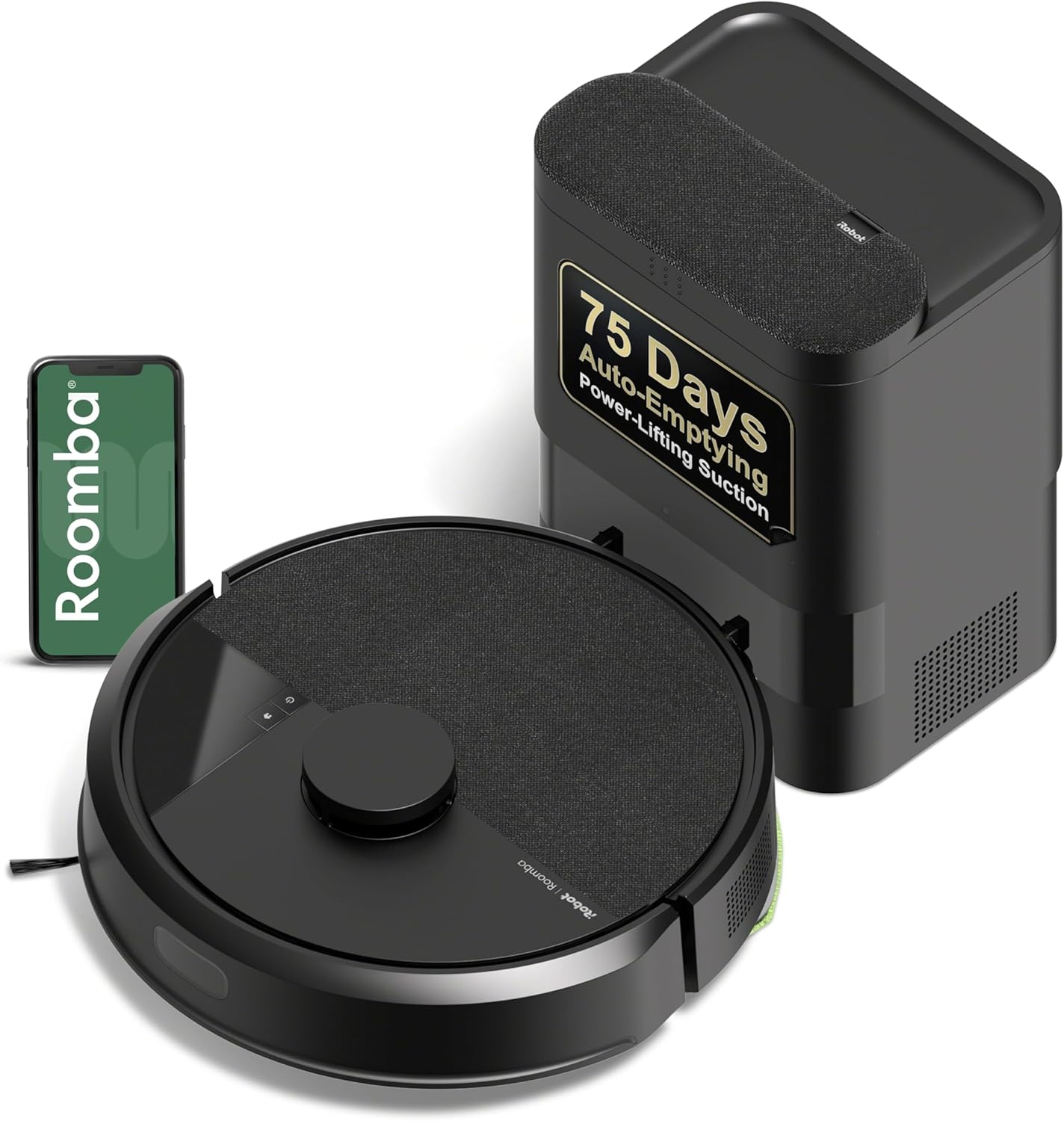
The Roomba 105 Vac pairs LiDAR navigation with an AutoEmpty dock for scheduled floor cleaning. The dock is designed to hold debris for extended hands-off operation. A complete robot-and-dock setup like this is relevant when comparing one carried machine with a dedicated cleaning setup on another frequently used level.
Check On AmazonIf you click this link and buy, we earn a commission at no additional cost to you.
Know what happens on a floor without a dock
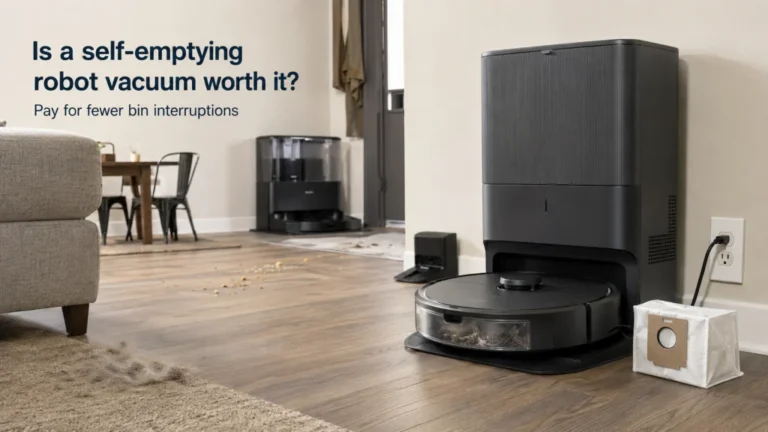
A dock is more than a parking spot on many current systems. Depending on the exact setup, it may charge the robot, empty the dustbin, wash or dry mop pads, refill water, or collect dirty water. When the robot is carried to a floor without that dock, those functions may be unavailable until the machine returns to its home level. ECOVACS describes a common multi-floor workflow in which the robot can clean a level without the dock, then returns to its starting point and must be brought back to the dock for charging and emptying.
That is why dock dependence should be checked function by function rather than treated as a yes-or-no feature. A floor without a dock may still be perfectly practical for a small, infrequent run, but it becomes less attractive when the robot needs a recharge to finish or when the dock normally handles most of the maintenance. Before buying, verify the exact model rather than assuming a second dock is supported or interchangeable. Use this checklist to identify what becomes manual away from the base:
- charging or recharge-and-resume during a long cleaning run
- automatic dustbin emptying
- clean-water refilling for mopping
- dirty-water collection
- mop washing or drying
- any model-specific dock cleaning or maintenance cycle
If self-emptying is the main reason you are considering a larger dock, compare that benefit separately through whether a self-emptying robot vacuum is worth it. The feature can be valuable on the floor where the dock lives while adding little automation to a second level that the robot visits without its base. That distinction can keep you from paying for a premium station whose best functions are absent during half of the household’s cleaning routine. It also makes a basic charging setup more defensible when manual bin emptying is already acceptable.
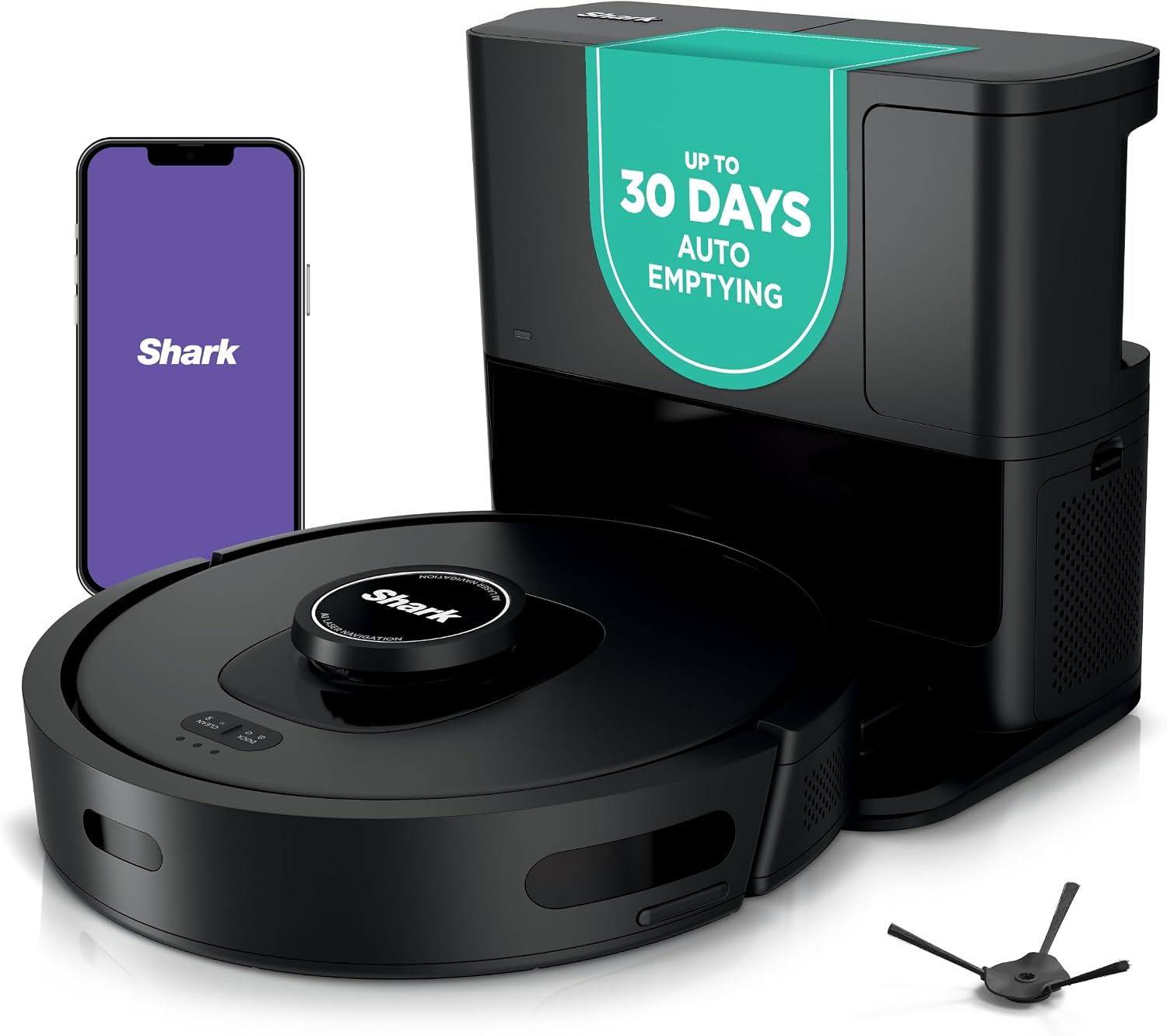
The Shark AV2501S combines home mapping with a bagless HEPA self-empty base. Matrix Clean navigation is paired with Wi-Fi control for automated floor cleaning. Because its debris-emptying benefit depends on the base, it is a practical example of a feature that does not follow the robot when the machine is moved to another floor.
Check On AmazonIf you click this link and buy, we earn a commission at no additional cost to you.
Add robot weight and the carrying route to the decision
Carrying weight is easy to ignore because most comparisons focus on suction, navigation, or dock features. In a multi-story home, however, the robot becomes something you may lift repeatedly, and the route matters as much as the number on a specification sheet. Check the exact product weight, then picture the actual trip past stair rails, child gates, narrow landings, laundry baskets, or doors that may already occupy one hand. A manageable lift across a room can feel very different from a careful carry up a turning staircase.
Also decide where the robot will be picked up and set down on each floor. The best transfer point is stable, clear of the stair edge, and large enough to place the robot without balancing it on a step or reaching around a gate. Do not disable cliff sensors or rely only on app no-go zones as the safety plan for an open staircase; follow the exact model’s safety instructions and keep its edge-detection sensors maintained as directed. If carrying feels awkward before purchase, a dedicated upstairs machine or a manual vacuum for the lighter-use floor may be the simpler household solution.

The CleanView XR Pet is a cordless stick vacuum with a 300W motor and removable battery. Bissell lists the vacuum at about 5.9 pounds with up to 40 minutes of runtime. That lightweight format can suit a secondary floor when repeatedly carrying and servicing a robot up stairs would add more work than a quick manual cleanup.
Check On AmazonIf you click this link and buy, we earn a commission at no additional cost to you.
Give the busiest floor the most automation
Not every level deserves the same cleaning system. Entryways, kitchens, family rooms, pet zones, and other high-traffic spaces often create more frequent debris than bedrooms or a lightly used office level. If one floor needs daily attention while the other needs only occasional cleaning, keep the dock and the strongest automation on the busy level. Carrying the robot upstairs for a less frequent run can then be a small task instead of a constant part of ownership.
This frequency check can also prevent unnecessary duplicate purchases. Two robots make more sense when both floors generate enough recurring work to justify their own schedules, not simply because the house has two stories. A household that uses the upper level mainly for sleeping may get more value from one robot downstairs and a lightweight manual vacuum upstairs than from duplicating an expensive dock system. If you are comparing the broader range of cleaning equipment around that decision, the site’s home cleaning appliances overview can help separate robot tasks from the jobs still better handled manually.

The Shark AV2820S combines 360-degree LiDAR navigation with floor, dirt, and edge detection. Its HEPA self-empty base is designed to reduce routine debris handling. Those automation features are most useful on the level that creates frequent cleaning work, matching the section's advice to concentrate automation where it is used most.
Check On AmazonIf you click this link and buy, we earn a commission at no additional cost to you.
Count the mopping work that stays on the dock level
Mopping makes a multi-floor setup more demanding because liquids and pad care do not move themselves. A full-service dock may wash pads, refill clean water, collect dirty water, and dry the mopping system, but those services generally happen where the dock is physically installed. If the robot is carried upstairs, you may need to start with a properly prepared tank or pad and bring it back down before the dock can service it again. That can still work well for a modest hard-floor area, but the routine should be understood before purchase.
Pay attention to what happens when the upstairs job is longer than one prepared mopping cycle. If the robot normally returns to the dock for pad washing, water handling, or recharge-and-resume, an undocked level may require a different cleaning mode or more manual intervention. Check the exact manual for what the robot can do away from its station and how wet components should be handled after cleaning. The practical test is simple: if each upstairs mop run creates several trips for water, pads, and the robot itself, the saved map is doing less work than the feature name suggests.

The MOVA P10 Pro Ultra Gen 2 combines vacuuming and mopping with an all-in-one dock. The station provides hot-water mop washing and hot-air drying, while the robot uses an extendable mop system. These dock-based services make it directly relevant to the extra manual work that appears when mopping on a floor away from the station.
Check On AmazonIf you click this link and buy, we earn a commission at no additional cost to you.
Check Wi-Fi and app coverage only where the model needs it
Wi-Fi can matter for map loading, remote starts, room selection, notifications, scheduling, or other app-controlled features, but the exact dependency varies by model. Do not assume weak upstairs Wi-Fi automatically makes the robot unusable, and do not assume every floor-specific function will work normally offline. Instead, check the manufacturer documentation for the features you actually plan to use on each level. This keeps a connectivity issue from being mistaken for a mapping limitation or a reason to replace otherwise suitable hardware.
For a robot vacuum used on multiple floors, test the intended placement against the household network before building the routine around remote control. If the upstairs signal is poor, the practical fix may be improving network coverage, starting the robot locally, or choosing a workflow that does not depend on live app commands, depending on what the exact model supports. Avoid buying extra networking equipment merely because a marketing page mentions Wi-Fi; first identify which desired function stops working without it. The same evidence-first approach applies to firmware, map recognition, and scheduling because those behaviors can change across product lines.

The TP-Link RE315 is a dual-band AC1200 Wi-Fi extender for 2.4GHz and 5GHz networks. It supports EasyMesh and includes one Ethernet port. It is relevant only when weak coverage actually blocks the robot features a household plans to use upstairs, which matches the section's evidence-first approach to network upgrades.
Check On AmazonIf you click this link and buy, we earn a commission at no additional cost to you.
Choose the workflow before choosing the feature package
Most multi-story households fall into one of three practical outcomes. The right one depends on how often each floor needs cleaning, how much dock automation matters, how comfortable carrying is, and whether mopping adds extra trips. A robot vacuum across multiple floors is easiest to justify when the repeated workflow remains short after the novelty of saved maps wears off. Use the table to compare the household job rather than chasing a feature checklist.
| Setup | Usually fits when | Main trade-off to verify |
|---|---|---|
| One robot carried between floors | One or more secondary floors need occasional cleaning and carrying is easy | Dock services, battery needs, weight, and manual return after undocked runs |
| One automated main floor plus manual cleaning elsewhere | One level creates most recurring debris and the other needs lighter touch-ups | Whether the manual tool is actually faster than moving and servicing the robot |
| One robot per frequently cleaned level | Two or more floors need regular scheduled cleaning and minimal carrying is a priority | Added purchase cost, dock space, duplicate maintenance, and consumables |
Do not treat the most automated outcome as the default winner. One robot can be the better value when the secondary level is small, while a second robot can make sense when the upstairs run is frequent enough that carrying becomes a scheduled chore of its own. If you are still comparing current types and feature combinations rather than a specific multi-floor workflow, use the site’s overview of current robot vacuum options as a broader comparison point. The goal is to buy the minimum system that reliably handles the recurring cleaning load.

The Shark Matrix Plus AV2630WA combines vacuuming and sonic mopping with 360-degree LiDAR mapping. Its base provides HEPA self-emptying, while the robot also uses Matrix Clean and CleanEdge features. That mixed feature package is useful for judging whether a household actually needs both automated debris handling and mopping on the floor where the system will live.
Check On AmazonIf you click this link and buy, we earn a commission at no additional cost to you.
Verify maps and dock value as separate purchase questions
After choosing a physical workflow, verify the software and dock pieces independently. Map support should confirm whether the exact model can remember each floor and preserve the floor-specific settings you plan to use. Dock documentation should show which tasks require the robot to be physically at its station, such as charging, debris emptying, or mop service. This check prevents a broad multi-floor label from hiding a routine that still depends on frequent carrying and manual reset work.
Use exact-model documentation because similar models can differ in saved-map limits, recognition behavior, and dock functions. The robot vacuum mapping article covers the map side in more detail, while the self-emptying comparison helps judge whether dock automation is worth the added cost and footprint. At this stage, you should already know how often the robot moves between levels and which floor needs the most automation. The remaining job is simply to verify that the model you are considering supports that workflow without adding surprises.

The MOVA P10 Pro Ultra combines app-controlled navigation with a dock-centered mopping system. Its listed features include dual spinning extendable mops, automatic mop washing and drying, and obstacle avoidance. Because software control and station services solve different parts of the cleaning routine, this model fits the section's recommendation to verify those purchase questions separately.
Check On AmazonIf you click this link and buy, we earn a commission at no additional cost to you.
Final Thoughts: saved maps solve orientation, not stairs or docks
Multi-floor mapping is useful because it lets one robot understand more than one layout, but it should not be confused with whole-house physical automation. Start with cleaning frequency by floor, then verify the exact model’s saved-map behavior, carrying weight, battery needs, dock dependence, mopping routine, and network requirements. One carried robot is often enough when a secondary level needs occasional attention, while one robot per level becomes easier to justify when both floors need frequent autonomous cleaning. The deciding factor is how much manual work remains after the robot finishes each level.
Before buying, walk through one complete cleaning cycle in your head from dock departure to the next ready-to-run state. Count every carry, bin empty, water refill, pad task, recharge, and return trip that the staircase creates. If that sequence still feels short, one robot may be the sensible value choice; if it repeats constantly, separate floor setups may earn their extra cost. Buy the workflow that removes the most repeated work, not the feature label that sounds the most complete.

The Shark AV2800ZE combines vacuuming and mopping with LiDAR-based navigation. Its NeverTouch Pro base can self-empty, refill the robot, and wash and dry the mop pad. That division between what the robot does on the floor and what the station does at home reinforces the article's final point that physical workflow matters as much as saved maps.
Check On AmazonIf you click this link and buy, we earn a commission at no additional cost to you.
FAQs
🗺️ Can one robot vacuum clean two floors?
Yes, if the exact model supports separate maps or can otherwise clean correctly after being moved. You still need to carry the robot between floors because conventional models do not climb household stairs.
🔌 Do I need a charging dock on every floor?
Not always. Some robots can clean a floor without the dock, but charging, self-emptying, mop service, or automatic resume may be unavailable until the robot returns to its home station.
🧭 Will a robot vacuum recognize which floor it is on automatically?
Some models can, while others require a different map-selection or setup process. Check the exact model’s support documentation rather than assuming all multi-floor robots use automatic recognition.
🪜 Is it safe to use a robot vacuum near stairs?
Use the model’s cliff-sensing system and follow its safety instructions. Do not disable edge sensors or rely only on an app boundary as the sole protection against an open stair edge.
🧼 What changes when I mop a floor without the main dock?
Any dock-based washing, drying, water refilling, or dirty-water collection may be unavailable on that floor. Verify the exact model’s off-dock mopping workflow before deciding how often you will carry it upstairs.
💵 When is one robot per floor worth the extra cost?
It becomes easier to justify when multiple floors need frequent scheduled cleaning and carrying would otherwise happen repeatedly. Include extra dock space, maintenance, filters, brushes, and other consumables in the comparison.
References and Sources
- ECOVACS multi-floor cleaning guidance: Supports the distinction between saved floor maps, manual carrying, and cleaning a level without its dock.
- Roborock multi-level map support: Documents model-dependent multi-floor setup and the ability to create additional maps without moving the charging dock for supported models.
- Roborock Q7 Max specifications: Verifies the model-specific example of automatic multi-level recognition and support for up to four levels.