Connected features are useful when they remove a repeated household step, not when they simply move a button from the appliance to a phone. The real cost of a smart feature includes account setup, pairing, permissions, notifications, updates, shared access, and the possibility that basic convenience now depends on software. Remote status and useful alerts can earn their place when they solve a problem that actually recurs. The goal is not to reject connected appliances, but to make them prove that they reduce more friction than they create.
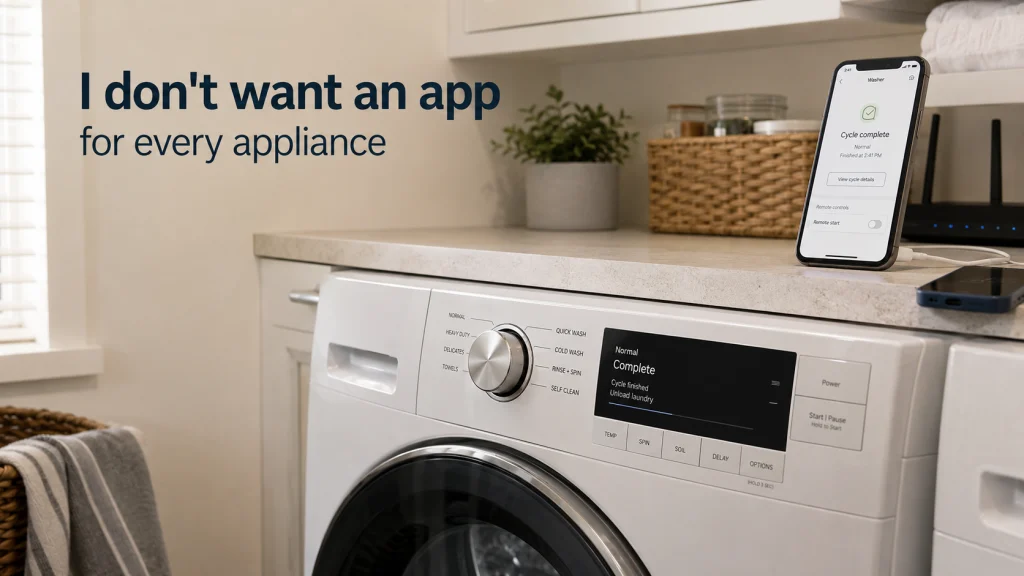
I don’t want an app for every appliance
I don’t want an app for every appliance. I do not want to create another account, pair another device to Wi-Fi, approve another set of permissions, sit through another update, and manage another stream of notifications just to reach a control that could have been a button. None of those steps is individually outrageous. The problem is the stack of small obligations that arrives with a feature that was sold as convenience.
That does not make me anti-technology, and it does not make every smart appliance app pointless. A cycle-finished alert can save a trip across the house, a leak warning can surface a problem when nobody is standing nearby, and a useful status check can answer a real question without opening a door or walking downstairs. Those are actual jobs, not decorative connectivity. My standard is simple: connectivity should remove more repeated household friction than it adds.
A smart feature is not the same thing as a software requirement
The first distinction I want to make is between an optional connected feature and a basic function that becomes dependent on software. If an appliance still performs its core job from its physical controls, the app can remain an extra layer for households that want it. That makes the buying decision fairly straightforward because the connected features can be judged on their own usefulness. If basic operation, important settings, or normal access becomes app-dependent, the software is no longer an accessory to the appliance experience.
This is why the question “does it have Wi-Fi?” is too shallow to be useful. A better question is what the appliance can do without an account, without the phone nearby, and without the connected service working as expected. Two connected appliances can look similar on a feature list while creating very different ownership routines. Before paying for connectivity, I would want to know whether I am buying an appliance with optional software or an appliance whose normal use now includes software as part of the job.
The useful connected features solve a repeated household problem
The easiest connected features to defend are the ones that answer a question the household would otherwise have to check manually. A laundry alert can matter when the machines are far from the rooms where people spend their time. A remote status check can matter when someone is trying to coordinate the next step of a chore without walking back to the appliance. These features do not need to be impressive; they need to remove a real interruption often enough to justify the setup.
The same logic applies to alerts that surface a condition the household genuinely wants to know about. A warning about an unexpected water problem, a completed cycle, or an appliance state can be valuable when it reaches the right person at the right moment. Smart appliance notifications become less useful when every minor event demands attention, so the ability to keep only meaningful alerts matters more than sheer notification volume. The feature earns its place when it reduces checking, prevents a forgotten next step, or communicates something the household would otherwise have to go looking for.
- Does the feature remove a trip, check, reminder, or repeated manual step?
- Will the household use that benefit often enough to notice the difference?
- Can unnecessary alerts be turned off without losing the useful ones?
- Does the appliance still remain practical when the connected feature is ignored?
If the answers are mostly yes, connectivity is doing household work instead of merely advertising itself. That is a much stronger reason to pay for a connected feature than a long list of app screens or remote controls that rarely leave the phone. The benefit should be visible in the routine, not just on the product page. A feature that quietly removes one recurring nuisance can be more valuable than ten features that are technically available but practically forgotten.
Account setup, pairing, notifications, and updates belong in the ownership cost
Purchase price is not the only cost that matters, and connected features add a kind of cost that is easy to ignore because it arrives in small pieces. There may be an account to create, a password to remember, a Wi-Fi pairing process, permissions to review, a phone compatibility requirement, and settings to adjust before the feature becomes useful. Later, there may be app updates, sign-ins, notification changes, or a need to reconnect after the home network changes. None of this automatically makes the feature bad, but it belongs in the comparison.
I think of this as attention cost. A feature that saves five minutes once but asks for ongoing account and app management may be a poor trade for a household that rarely uses it. A feature that saves a repeated trip every week may justify much more setup because the benefit keeps paying back. This is also why appliances without Wi-Fi can remain the better fit for households that value direct operation and do not have a recurring problem connectivity would solve.
Optional connectivity feels different from mandatory connectivity
I am much more comfortable with connectivity when the appliance remains fully understandable without it. The physical controls should still make sense, the core job should still be accessible, and ignoring the connected features should not turn ordinary use into a puzzle. In that arrangement, the app is a choice rather than a gatekeeper. The household can decide whether remote access or alerts are worth the extra setup without feeling that the purchase came with a software obligation.
Mandatory connectivity changes the risk calculation because the household now depends on more than the appliance itself. I do not need to make claims about how any specific platform will behave in the future to see the practical difference. More dependencies mean more things the buyer should verify before deciding the feature is worth paying for. If an appliance app is required for a function you consider basic, that requirement should be treated as part of the product design, not as a footnote you discover after installation.
Privacy and long-term software support are questions to verify, not assumptions to make
Connected products naturally raise questions about accounts, permissions, data, software support, and what happens when online features change. I do not think those questions should be answered with vague reassurance or blanket suspicion. The useful approach is to identify what matters to the household and verify the current terms for the exact product and service before relying on the feature. If the information is unclear, that uncertainty belongs in the buying decision.
The same restraint applies to long-term support. I would not assume that a connected feature will keep working forever, but I also would not assume that it is destined to fail. Instead, I would ask what happens to core appliance operation if the connected service is unavailable, whether the desired feature depends on an account, and whether the household is comfortable with that dependency. Those questions keep the decision practical without turning an appliance article into a cybersecurity lecture.
My rule is to pay for connectivity only when it repeatedly removes a real step
The word “smart” does not earn a premium by itself. I want to know which repeated step disappears, how often that matters, who in the household benefits, and what new setup or attention the feature demands in return. If the answer is a clear reduction in checking, coordination, or unnecessary trips, the feature may be worth paying for. If the answer is mostly more screens, more settings, and a remote copy of controls that already work well, I would skip the premium.
This rule also leaves room for different households to reach different conclusions. Someone with laundry equipment far from the main living space may value smart appliance notifications much more than someone who can hear the cycle end from the next room. A person who travels through the house with limited mobility may value remote status more than someone who passes the appliance constantly. The useful standard is not whether connected features are modern, but whether they solve a specific recurring problem in the household that is buying them.
Final thoughts: the best smart feature is the one you stop noticing
The connected features I like best are not the ones that demand admiration. They are the ones that quietly remove a small recurring annoyance and then get out of the way. A useful alert, a meaningful status check, or a remote function can absolutely make household equipment easier to live with. It just has to beat the simpler alternative on actual routine, not on feature count.
So I am not looking for a smart appliance without an app at all costs, and I am not looking for the most connected model either. I am looking for equipment that keeps its core job simple, remains understandable to the people who use it, and lets software stay in the background. The strongest connected features feel less like another system to manage and more like a small piece of household work that quietly disappeared. That is a much better reason to pay for connectivity than the word “smart” on the box.
FAQs
Questions about connected appliances usually sound simple until the household routine is added back in. Whether an app is useful depends on what the appliance can still do locally, which remote functions matter, and how many people need to use the equipment. The right answer is rarely “always connect it” or “never connect it.” The practical answer is to verify what the exact feature changes in everyday use.
The questions below keep that decision focused on ownership rather than marketing. They are useful before buying, but they also help when deciding whether to bother setting up connectivity on an appliance you already own. Start with the core function, then look at the extra work and the extra benefit. If the software does not solve a recurring problem, leaving it unused can be a perfectly reasonable choice when the appliance allows it.
📱 Do I need to use the app on a smart appliance?
Not always. Check the exact model to see which functions work from the physical controls and which connected features require the app.
📶 Can smart appliances work without Wi-Fi?
Many can still perform their core job without Wi-Fi, but connected functions may be unavailable. Verify the exact model manual or support information before assuming offline operation is complete.
🔔 Are smart appliance notifications actually useful?
They can be when they replace repeated checking or prevent a forgotten next step. They are less useful when the household already knows the appliance status or cannot filter out low-value alerts.
👨👩👧👦 What should I check if several people use the appliance?
Make sure basic controls remain easy for everyone who needs them. If app access matters, check how clearly the exact system handles shared household access.
💵 Is it worth paying more for connected appliance features?
Only when the features repeatedly remove a real household step or solve a problem you actually have. Compare that benefit with setup, account management, notifications, and any dependence on software.