An empty dehumidifier bucket does not automatically mean the machine has failed. The room may already be near the selected humidity level, condensate may be leaving through a drain hose, or an owner-accessible setup issue may be preventing normal collection. This troubleshooting path focuses on portable compressor dehumidifiers, which match the manufacturer guidance used here; desiccant, thermoelectric, and whole-home systems should be checked against their own documentation. The useful test is to compare room humidity, settings, airflow, bucket position, drainage, and room conditions before judging the appliance by bucket volume alone. If those external checks do not explain the symptom, the next step is manufacturer support or qualified service, not opening the cabinet.
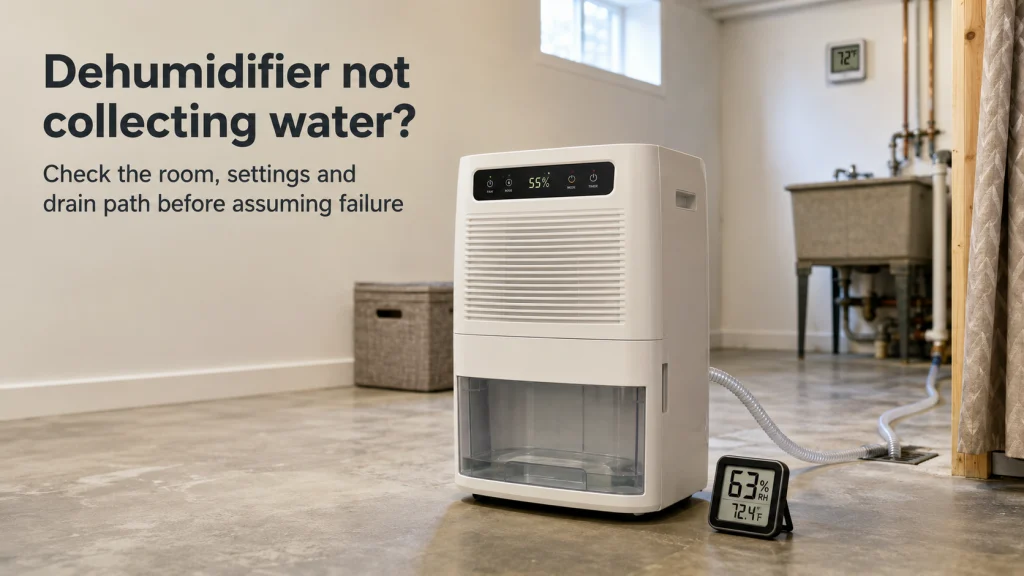
No water in the bucket does not always mean failure
If your dehumidifier is not collecting water, first separate an empty bucket from an actual failure to remove moisture. The checks below are written for portable compressor dehumidifiers, so do not apply compressor, coil-frost, or defrost logic to a different dehumidifier type unless its own manual supports it. The bucket can stay dry because the room is already near the selected relative humidity, because collected water is leaving through a drain hose, or because the controls are not calling for active dehumidification. Manufacturer troubleshooting from Frigidaire and GE starts with those external conditions rather than an internal component diagnosis. That makes the room and the water path more useful first clues than the sound of the fan.
| What you observe | What it may mean | What to check next |
|---|---|---|
| Bucket is empty and room RH is near the setpoint | Low collection may be normal | Compare the room reading with the selected setting |
| Bucket is empty and a drain hose is connected | Water may be bypassing the bucket | Trace the approved drain path |
| Bucket is empty and room RH remains high | Setup, airflow, temperature, sizing, or a fault may be involved | Continue through the external checks |
| Visible frost or unsafe behavior appears | Operating conditions or a fault may be involved | Stop and follow the exact model instructions |
A fan and display can operate without proving that the full dehumidification process is happening, so sound alone is not a pass or fail test. Work through observable and reversible checks, then stop before any step requires panel removal, electrical testing, refrigerant work, or bypassing a safety switch. This approach also prevents normal low collection from being mistaken for a broken compressor. Once you know whether the room is actually humid and where condensate is supposed to go, the remaining checks become much more meaningful. Troubleshooting air quality appliances works best the same way: separate normal operating conditions from true faults before moving beyond owner-level checks.

This digital hygrometer displays indoor temperature and relative humidity together. The TP50 uses a large LCD and records high and low temperature and humidity readings. A tabletop stand and magnetic back provide flexible placement for checking room conditions independently of the dehumidifier bucket.
Check On AmazonIf you click this link and buy, we earn a commission at no additional cost to you.
First check whether the controls are calling for moisture removal
Start with the selected humidity target and the room-humidity value shown by the unit, if the model provides one. GE notes that a dehumidifier will not collect water when room humidity is below the humidity level set on the appliance, and Frigidaire also directs owners to check the selected RH setting. That means a quiet compressor or a nearly empty bucket can be normal when the controls believe the target has already been reached. At this stage, the question is simply whether the machine should be trying to remove moisture under its current setting.
- Check the selected humidity target on the unit.
- Note the room-humidity value shown by the unit, if available.
- Confirm the selected mode can actively dehumidify.
- Check whether the control indicates that the target has already been reached.
This first check is about control logic, not about proving that the built-in humidity reading is perfectly accurate. If the unit reports conditions at or below the selected target, low collection may be normal and the bucket tells you very little by itself. If the display says the room is still above target, or the room feels persistently damp despite a low displayed reading, continue through the setup checks before drawing a conclusion. A separate hygrometer becomes useful later when you need to test whether the appliance’s reading and the room’s actual trend agree.

This H5075 measures room temperature and humidity and connects to the Govee app by Bluetooth. It supports remote monitoring up to 164 feet, smart alerts, and temperature and humidity graphs. The app can store and export up to two years of data for comparing room trends with the dehumidifier setpoint.
Check On AmazonIf you click this link and buy, we earn a commission at no additional cost to you.
Check whether the water is leaving through a drain hose
A dehumidifier with continuous drainage can remove moisture normally while leaving the bucket almost completely dry. Frigidaire explains that water that would normally enter the bucket can instead be directed through a continuous drain connection, so an attached hose changes what an empty bucket means. Check the exact model instructions before disconnecting or rearranging anything, because gravity-drain and pump systems do not all use the same routing or settings. The goal is simply to confirm the intended destination of condensate and whether the current setup matches it.
For a gravity drain, look at owner-accessible conditions such as a secure connection, obvious kinks, or a hose path that conflicts with the manual. Frigidaire tells owners to keep an approved gravity hose below the unit connection and arranged so water can flow freely, while pump-equipped units can have different requirements. If the hose route changed recently, compare it with the documented setup before assuming the appliance stopped collecting water. If the hose is correctly installed and the room humidity is falling, the empty bucket may be exactly what the drainage setup is supposed to produce.
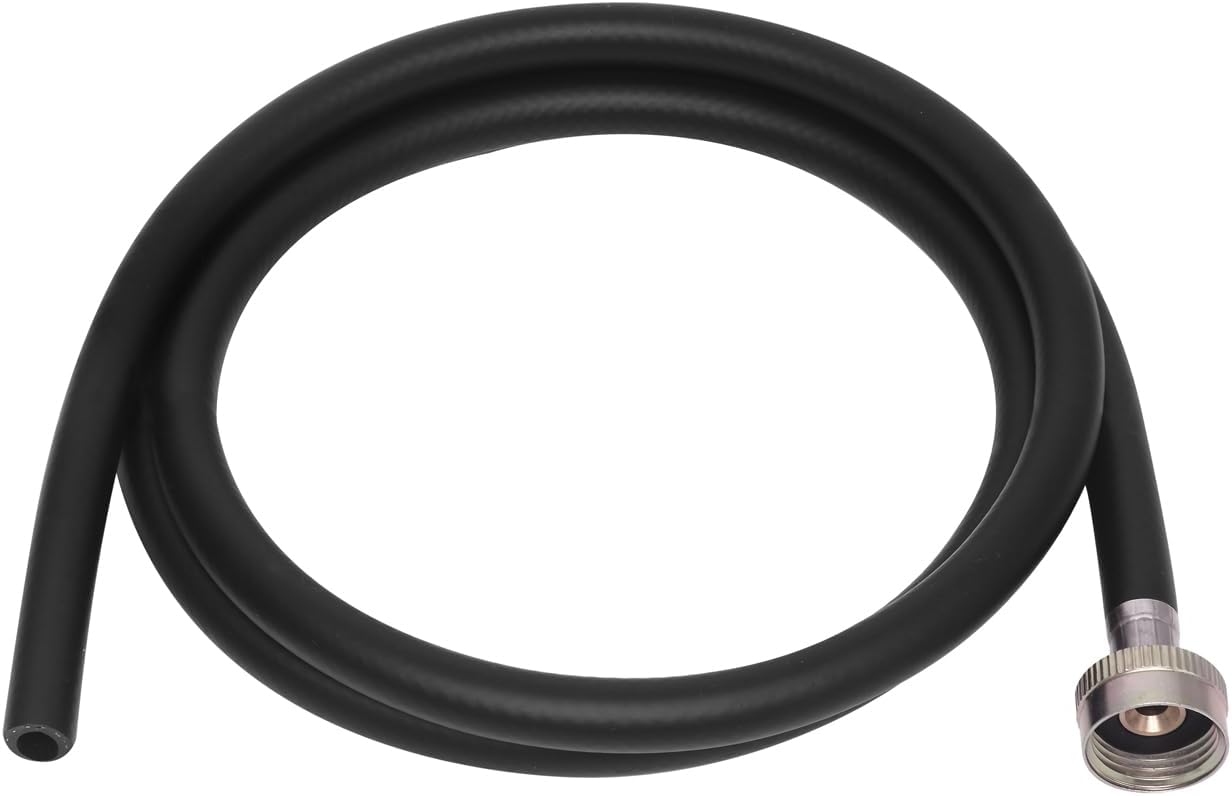
This 5-foot drain hose uses a 3/4-inch female hose-thread connection for compatible dehumidifier outlets. The flexible PVC hose includes a rubber gasket and is designed to route condensate to a drain without kinking. Use it only when the exact dehumidifier manual specifies a compatible 3/4-inch threaded drain connection.
Check On AmazonIf you click this link and buy, we earn a commission at no additional cost to you.
Verify the bucket is seated correctly and the full condition is cleared
The bucket is not just a container; on many portable dehumidifiers it is also part of the machine’s safety logic. Frigidaire advises owners to empty a full bucket so the unit can resume normal operation, and the exact manual should show how the bucket must sit in the cabinet. A container that is not fully seated can leave the machine unable to dehumidify even though lights or a fan make it look active. Remove and reinstall it only as the manual permits, then make sure it sits squarely without being forced.
If the bucket has a visible owner-accessible float, inspect only for obvious interference or incorrect positioning described by the manual. Never tape, wedge, bypass, or hold a safety switch in a different position to make the appliance run, because that defeats overflow protection. Also look for visible cracks or warping that could explain why water is not staying where expected. Once the bucket is empty, intact, and correctly seated, move to airflow rather than taking the cabinet apart.
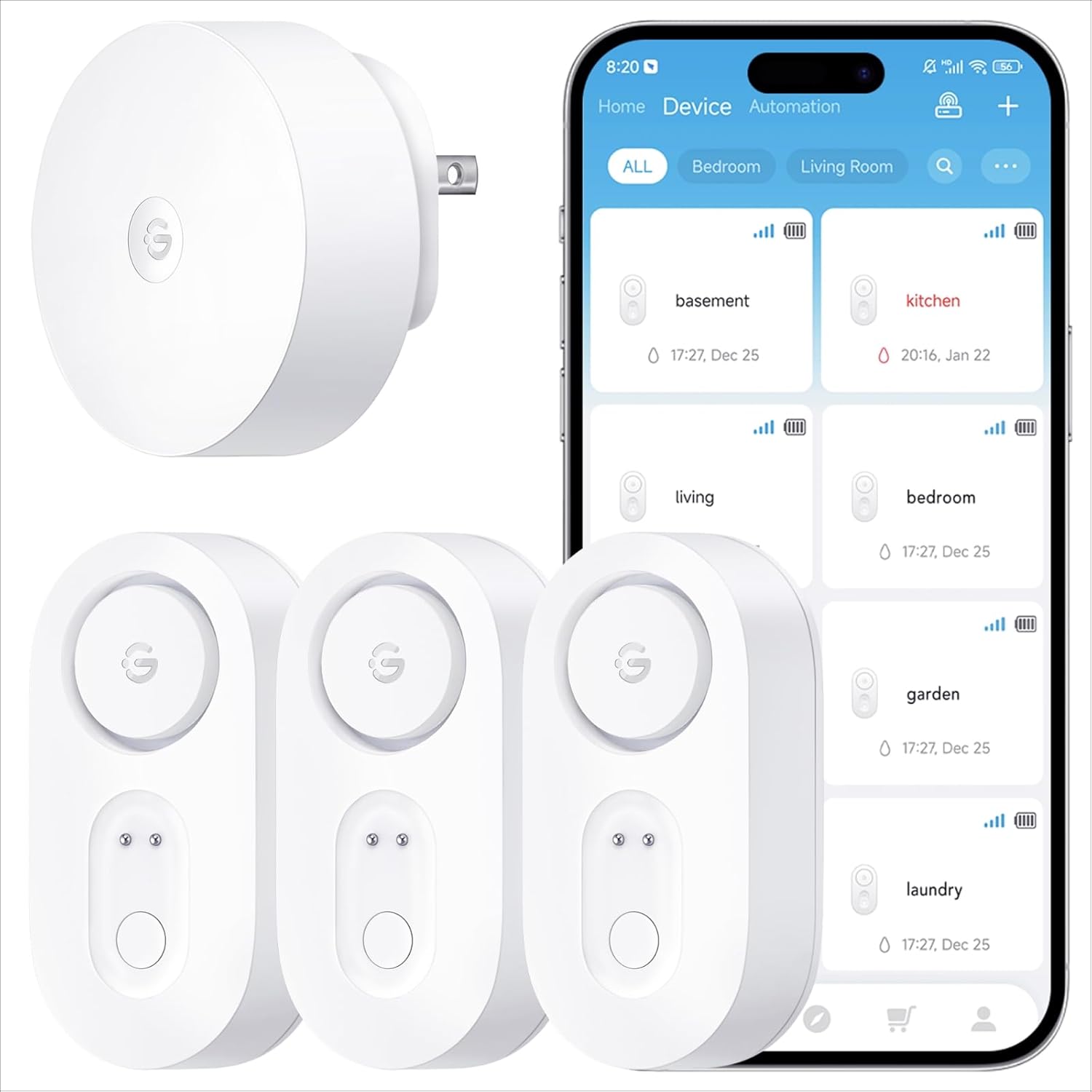
This three-sensor kit detects water and sends app, SMS, and email alerts through its connected system. The sensors use Sub-1G wireless communication rated for up to 1,804 feet and have IP67 protection. Their rated battery life is up to five years, making them useful near a dehumidifier where a bucket crack or overflow could leave water on the floor.
Check On AmazonIf you click this link and buy, we earn a commission at no additional cost to you.
Check the intake, outlet, and owner-serviceable filter
Dehumidification depends on room air moving through the unit, so blocked grilles and a loaded filter belong near the top of the troubleshooting list. Frigidaire tells owners to make sure nothing blocks airflow and to check the filter, while GE also lists proper airflow and filter condition when humidity performance is poor. Move curtains, furniture, boxes, or other obstructions away from the intake and outlet according to the exact clearance requirements in the model manual. Do not borrow a clearance number from another unit simply because the cabinets look similar.
Clean only the filter and components the manufacturer labels as owner-serviceable. A washable filter should be handled according to its manual, while a replace-only filter should not be washed just because another dehumidifier uses a reusable screen. Reinstall the filter exactly as the model instructions show, because a missing or poorly seated filter can change airflow even when the screen itself is clean. For the full maintenance procedure, use our dehumidifier cleaning instructions instead of extending this symptom check into a broader cleaning job.

This set includes a large cleaning brush plus a smaller brush with a wiper blade for tight spaces and crevices. Both brushes use durable nylon bristles and soft nonslip grips. For a dehumidifier, use the set only on owner-serviceable exterior areas or removable parts that the exact manual permits you to clean.
Check On AmazonIf you click this link and buy, we earn a commission at no additional cost to you.
Make sure the room is within the model’s operating range
Room temperature can explain a dehumidifier running but not collecting water, especially in a cool basement, garage, or utility area. GE notes that low temperatures can lead to frost on dehumidifying coils and that operating limits vary by model, including units designed for lower-temperature use. Check the room with an ordinary thermometer, then compare it with the operating range in the exact owner manual. A model-specific range is more useful than a universal cutoff copied from another appliance.
Visible frost or icing should be treated as an operating-condition clue and a reason to follow the manual rather than as proof of a failed component. Some units use automatic defrost behavior in which the compressor stops while the fan continues, so a running fan does not prove active moisture removal at that moment. Check whether the room is within the model’s documented temperature range and whether the manual describes normal defrost behavior for the condition you see. If frost remains abnormal after the manufacturer-approved operating check, that is useful evidence for support or service rather than a reason to keep repeating the same setup steps.

The TP49 measures room temperature and relative humidity with rated accuracy of about ±1°F and ±2% to 3% RH. It refreshes readings every 10 seconds and uses a compact LCD with large digits. Tabletop, magnetic-back, and hanging mounting options make it easy to position away from the dehumidifier exhaust for a representative room reading.
Check On AmazonIf you click this link and buy, we earn a commission at no additional cost to you.
Confirm the selected mode and check what changed if collection stopped suddenly
Control modes vary enough that a fan-on state can be misleading if you assume it always means active dehumidification. A target-humidity mode, continuous mode, pump setting, defrost cycle, timer, or other control can change when the compressor runs and where the water goes. Review the control panel against the exact owner manual, especially if the unit was recently moved, unplugged, cleaned, or reconfigured for drainage. The useful question is whether the current mode should be removing moisture under the room conditions you already checked.
If the unit used to collect water normally and then stopped, compare what changed before treating the symptom as a new internal failure. A different humidity setting, mode change, reseated bucket, newly attached drain hose, moved appliance, dirtier filter, cooler room, or interrupted power can explain why the behavior changed even when the machine still looks normal from the outside. Use a reset only when the manufacturer documents one for the exact model, because reset procedures are not universal. If the manual provides no reset for this symptom, skip it and continue with the remaining evidence rather than inventing one.
Use an independent humidity reading when the controls and room disagree
Once the settings, bucket, drain path, airflow, temperature, and mode look reasonable, a separate hygrometer can test whether the appliance’s own reading matches what the room is actually doing. This is different from the first setpoint check: you are no longer asking what the controls intend to do, but whether their displayed humidity is a useful representation of the space. Place the meter where it represents the room rather than directly in the appliance exhaust or against a damp surface. Bucket volume remains secondary because collection changes with moisture load and drainage setup.
| Room evidence | Bucket result | Reasonable interpretation |
|---|---|---|
| Independent RH is near the setpoint | Little or no water | May be normal operation |
| Independent RH is falling | Bucket empty with drain connected | Drain path may be working normally |
| Independent RH stays high | Little or no water anywhere | Continue setup, sizing, and service-boundary checks |
If the independent reading and the unit display are reasonably close and the room is near the target, low collection may be normal. If the separate reading stays clearly high while the appliance reports a much drier condition, record that mismatch as useful evidence for manufacturer support rather than trying to identify which internal component caused it. If both readings stay high and no water reaches either the bucket or drain despite correct setup, the evidence is stronger that the issue is not simply a dry room. The next question is whether the machine is being asked to serve too much space or too much ongoing moisture load.

This AcuRite meter displays indoor temperature and relative humidity together. Its specified indoor temperature range is 32°F to 122°F, and the unit can stand on a surface or attach magnetically. A separate meter gives you an independent room reading to compare with the humidity value reported by the dehumidifier.
Check On AmazonIf you click this link and buy, we earn a commission at no additional cost to you.
If the space stays humid, revisit sizing and the area being served
A dehumidifier can be mechanically functional and still fail to reach the household’s target if the moisture load or served area is beyond what the setup can handle. GE’s support guidance for poor humidity performance tells owners to check sizing, room closure, airflow, controls, and filter condition before assuming a fault. A machine working in a closed room is doing a different job from the same machine trying to control a large open basement connected to other spaces. Doors, air exchange, laundry moisture, seepage, and other ongoing moisture sources can all increase the load.
Do not use that possibility as an automatic reason to buy a larger model. First define the actual area being served, the placement, the air path, and whether moisture is continuously entering faster than the unit can remove it. Then compare those conditions with the model’s documented capacity and application guidance rather than relying on a generic room-size label. Our dehumidifier sizing article covers that decision in more depth when the machine appears to work but is not removing moisture from the space effectively.

This classic tape measure uses a 25-foot, 1-inch-wide blade. A positive lock holds the blade at the measured length. Its 25-foot reach is suitable for checking room dimensions when you need to define the actual area being served.
Check On AmazonIf you click this link and buy, we earn a commission at no additional cost to you.
Check recall status before continuing to use an older or unfamiliar unit
Dehumidifiers have been subject to major safety recalls, including models associated with overheating and fire hazards, so an older unit should not be treated as safe simply because the fan still runs. The U.S. Consumer Product Safety Commission maintains dehumidifier recall information and identifies affected brands and model numbers. Check the label on the appliance and compare the exact model with the CPSC listing rather than relying on appearance, capacity, or brand alone. A brand can have both recalled and unaffected models, which is why the exact identifier matters.
Recall check: If the exact model is covered by a recall, stop troubleshooting and follow the recall instructions. Do not keep operating it to gather more evidence, repair it yourself, or assume the no-water symptom is unrelated to the safety issue. Recall directions take priority over ordinary cleaning, drainage, reset, or service advice. If the model is not listed, that clears one safety screen but does not prove the appliance is fault-free.

The MiniBrite uses a 5X aspheric lens with built-in LED illumination. Its lens slides into a protective sleeve when not in use, and the compact body is designed for handheld viewing. The magnification can help you read small model and serial information on an appliance label before checking recall status.
Check On AmazonIf you click this link and buy, we earn a commission at no additional cost to you.
Stop when the next step requires internal electrical or refrigeration work
Owner troubleshooting ends when the next meaningful step requires opening the cabinet, testing electrical components, accessing a compressor circuit, handling refrigerant, bypassing a safety device, or diagnosing a control board. Those tasks involve shock, fire, moving-parts, and sealed-system risks that do not belong in household troubleshooting. Manufacturer support stays focused on settings, filters, buckets, drainage, room conditions, approved resets, and service referral for good reason. Follow that boundary even if a forum or video offers a seemingly simple internal test.
| Owner-level external check | Stop and use support or service |
|---|---|
| Read RH and selected setting | Test or replace internal humidity sensors |
| Inspect approved drain hose routing | Open the pump or internal drain system |
| Reseat the bucket as instructed | Bypass the bucket switch or safety interlock |
| Clean the owner-serviceable filter | Remove panels to test internal components |
| Check room temperature and visible frost | Work on refrigerant, compressor, capacitor, wiring, or control boards |
Also stop for damaged cords, sparks, smoke, a burning odor, overheating, leaking into electrical areas, exposed wiring, or uncontrolled operation. If the unit is under warranty, use the warranty and manufacturer support route before arranging work that could affect coverage. If it is out of warranty, compare local service availability with replacement cost without assuming every portable unit is economical to repair. Once the next safe check is no longer external, the absence of a DIY diagnosis is the correct endpoint rather than missing information.
Sort the result into normal operation, setup, sizing, or service
After the external checks, the goal is not to name an internal failed part but to decide what the evidence supports. Normal operation means the room is near the selected humidity level or condensate is correctly leaving through the intended drain path. A setup or maintenance result means something owner-accessible, such as mode, bucket seating, airflow, filter condition, or drain routing, was wrong and can be corrected according to the manual. A sizing result means the machine may be operating, but the served area or moisture load prevents the room from reaching the target.
| What you found | Best next route |
|---|---|
| Controls, placement, or normal behavior is unclear | How to use a dehumidifier |
| Filter or owner-serviceable maintenance needs attention | How to clean a dehumidifier |
| The unit runs but the space remains too humid | What size dehumidifier do I need? |
| Every external check passes but humidity stays high | Manufacturer support, warranty, qualified service, or replacement evaluation |
A service or replacement result becomes reasonable when the room remains humid, setup and operating conditions are correct, and no water is being collected or drained as expected. If replacement is on the table, our dehumidifier buying guide can help compare capacity, drainage, placement, and ownership requirements before spending money. Do not replace a working machine simply because a gravity drain leaves the bucket dry, and do not keep a nonperforming unit running indefinitely because its fan still sounds normal. The next decision should follow the room evidence, not the bucket alone.
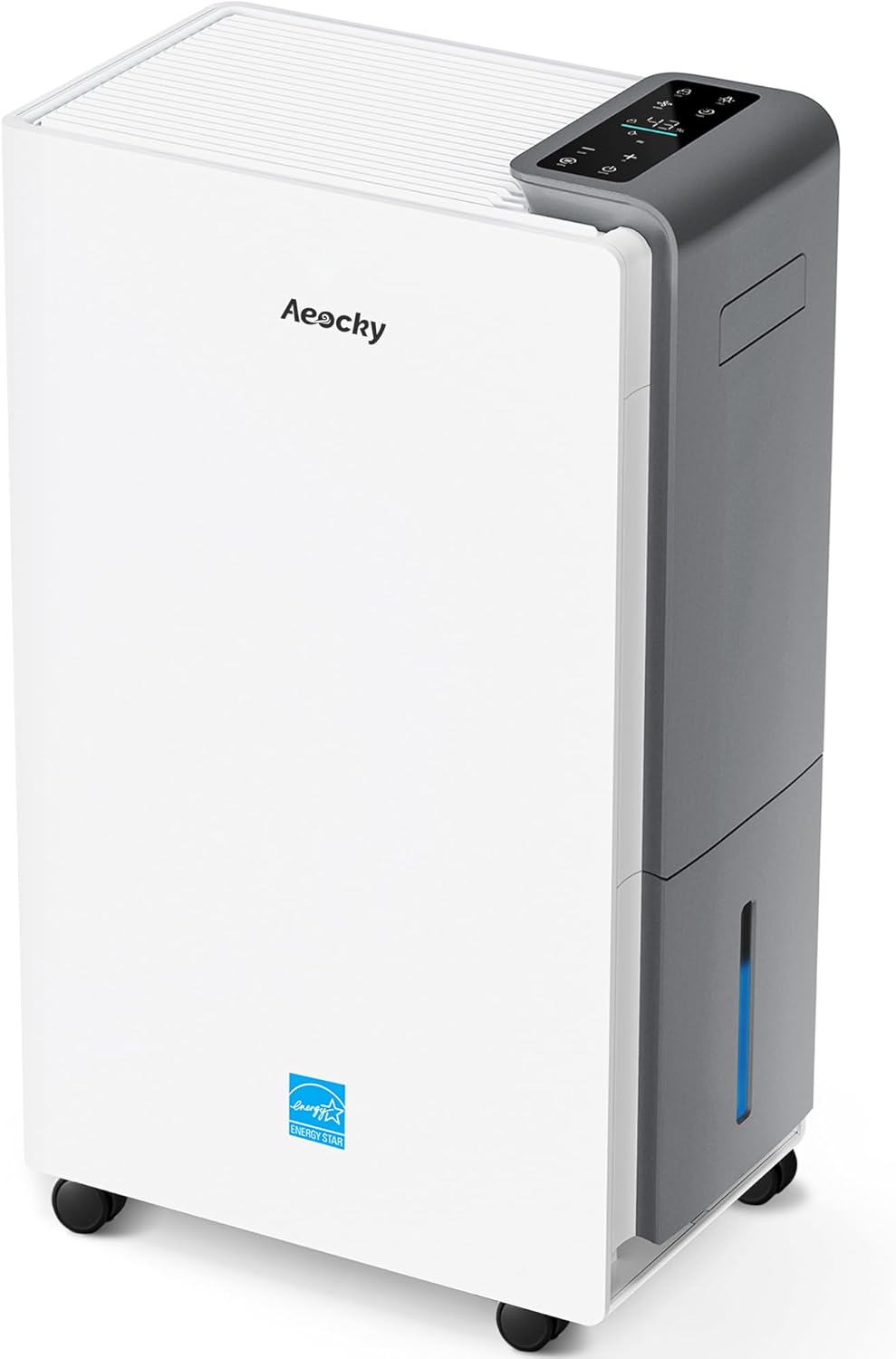
This compressor dehumidifier is rated for up to 80 pints per day under the listing's high-humidity test condition. It includes a drain hose and an intelligent humidistat for automatic humidity control. The listing identifies model RHEA-001 as an ENERGY STAR Most Efficient 2025 dehumidifier.
Check On AmazonIf you click this link and buy, we earn a commission at no additional cost to you.
Final Thoughts: Prove the external conditions before assuming an internal fault
A dehumidifier that appears to run without filling its bucket can be behaving normally, routing water elsewhere, operating under poor room conditions, or showing a fault that needs service. Prove the simple things in order: room humidity versus setpoint, drain destination, bucket seating, airflow and filter condition, room temperature, selected mode, independent humidity behavior, sizing, and recall status. Each check should stay within the exact model’s owner instructions. If one of those conditions explains the symptom, you have solved the decision without opening the machine.
If the room remains too humid after those checks, resist the urge to diagnose a capacitor, compressor, refrigerant charge, sensor, or control board from sound alone. The useful conclusion is simply that the safe external evidence no longer explains the problem. At that point, warranty support, manufacturer guidance, qualified service, or replacement evaluation is the rational next step. An empty bucket is only one clue; the room, settings, drainage path, and safety boundary tell you what that clue actually means.

This 4-inch digital monitor displays room temperature and humidity with rated accuracy of about ±1°F and ±2% RH. It refreshes every 10 seconds and stores maximum and minimum readings, while the backlit touchscreen improves visibility. Tabletop, wall, and magnetic mounting options let you keep an independent room monitor in a representative location.
Check On AmazonIf you click this link and buy, we earn a commission at no additional cost to you.
FAQs
These questions cover the common owner-level distinctions behind a portable compressor dehumidifier that runs without collecting water. They stay focused on settings, room conditions, drainage, bucket position, airflow, and external evidence. Exact control behavior depends on the model, so use the owner manual when settings, resets, temperature limits, or drain configurations differ. Use a separate humidity reading when the appliance display and room behavior do not agree.
Recall instructions, warning labels, and manufacturer stop conditions override these checks. Treat frost according to the exact model instructions rather than assuming every compressor unit behaves the same way. If the behavior falls outside documented owner troubleshooting, move to support or service. The FAQ does not extend into internal repair.
💧 Why is my dehumidifier running but not collecting water?
The room may already be near the setpoint, water may be leaving through a drain hose, airflow may be restricted, the room may be outside the model’s operating range, or a fault may exist. Check those external conditions before assuming an internal failure.
🌡️ Can a room be too cool for a dehumidifier to collect water?
Yes. Compressor dehumidifiers have model-specific operating limits, and low room temperature can promote frost and reduce moisture removal. Check the exact manual rather than applying a universal cutoff.
🪣 Why is the bucket empty when a drain hose is connected?
That can be normal because continuous drainage may route condensate past the bucket. Confirm the hose installation and drainage mode against the exact model instructions.
📟 Should I trust the humidity number on the dehumidifier?
Use it as one reading, but compare it with a separate room hygrometer when the behavior seems inconsistent. The goal is to see whether the room remains clearly more humid than the selected target.
🧼 Can a dirty filter cause very low water collection?
A loaded filter can restrict airflow and reduce dehumidification performance. Clean or replace only the owner-serviceable filter as the exact model manual directs.
🧊 What should I do if I can see frost or ice?
Stop treating the issue as a simple empty-bucket problem and follow the model’s defrost and operating-temperature instructions. Do not scrape internal coils, apply heat, or remove panels to investigate.
🛠️ How do I know when to stop troubleshooting?
Stop when the next step would require opening the cabinet, testing electrical parts, handling refrigerant, bypassing a safety device, or diagnosing an internal control. Use manufacturer support, warranty service, or a qualified servicer instead.
References and Sources
The troubleshooting steps above rely on manufacturer support for settings, airflow, bucket behavior, drainage, operating conditions, and service handoff. Procedures can vary by model, especially for drain routing, temperature limits, resets, and controls. The article therefore stays at owner level instead of importing internal repair steps. The CPSC source is included because a recall can override normal troubleshooting.
These references support claims actually used here. They do not replace the exact owner manual. If model instructions conflict with general support, follow the model-specific documentation. If a recall applies, follow its remedy instead of continuing troubleshooting.
- Frigidaire no-water support: Supports checks for airflow, bucket condition, humidity settings, operating mode, and filter condition.
- Frigidaire drain support: Supports owner checks for continuous-drain routing, hose position, blockage, and service handoff.
- GE no-water support: Supports checking room humidity versus the selected setting and using manufacturer support when the symptom remains unresolved.
- GE operating conditions: Supports model-dependent temperature limits, airflow considerations, and frost behavior.
- CPSC dehumidifier recalls: Supports checking exact model information and following recall instructions for affected units.